
Document Leaders
Your best prompts, married to a voice and a model, and run on a single idea with one click.
Structure, voice, and the marriage of the two
A prompt gives structure: how a LinkedIn article or a long-form piece is built, section by section. A persona gives voice: the Builder is constructive, the Contrarian pushes back, the Storyteller leads with a scene, the Wry one keeps it light. A model does the thinking. A Document Leader is all three bound into one named tool, so a whole way of writing becomes a single click.
From raw idea to finished piece
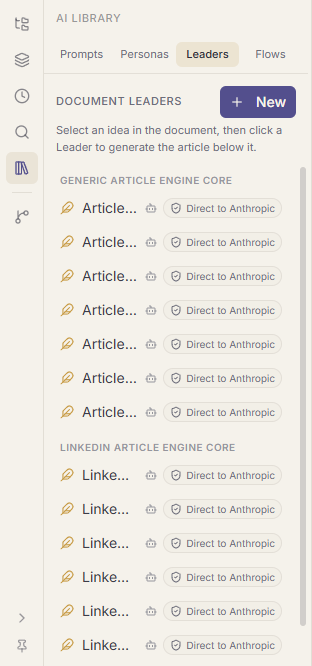
Jot the idea in your document. Select it. Click a Leader, "Article: Storyteller", "LinkedIn: Contrarian", and the finished piece is generated directly beneath your selection, in the right shape and the right voice, no dialog, no settings. The same Leaders sit on the right-click menu, so you never leave the passage you are working on.
Fourteen ship ready-made: a generic Article engine and a LinkedIn engine, each with seven personas. Press New to build your own from parts you already have: pick an engine prompt, attach a persona, choose a model, name it.
Why it beats a chat history
The prompt that nailed a piece last week is not lost in a scroll of conversations. It is a Leader on your sidebar, voice and model included, and because a Leader points at its parts rather than copying them, improving the underlying prompt or persona quietly improves every Leader built on it. Your toolkit compounds.