
The AI Workshop
Most apps bolt a chatbot onto a sidebar. Markelangelo does the opposite: the AI works on the document in front of you, in place, and the prompts you run are reusable tools you own.
The tab-hopping tax
You know the drill. Write in your document, copy a paragraph, switch to a chatbot tab, paste it, type the prompt, wait, copy the answer, switch back, paste it, re-fix the formatting the paste destroyed, then do it again for the next paragraph. Your best prompts live in a chat history you will never find again, and every round trip sends your work to someone else's servers.
Markelangelo collapses that loop. Your prompts are saved, named, versioned and one keystroke away. You run them on a selection or the whole document; the result streams in beside your text, you see a word-level diff, and you apply it in place, or edit it first. Nothing gets copied out. Nothing gets pasted back.
Select it, then do it
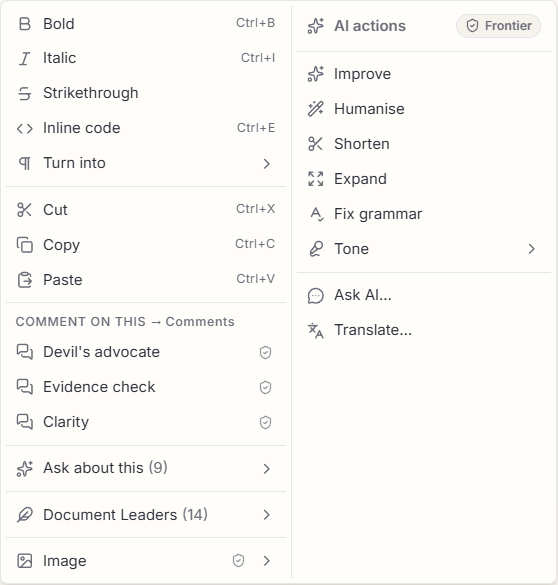
One law runs through the whole app: select what you want to do something to, then do it. Right-click a passage and a two-column command centre opens: the familiar editing tools, synonyms, comment lenses, your saved prompts, Document Leaders and images on the left, and a dedicated column of AI actions on the right, Improve, Humanise, Shorten, Expand, Fix grammar, a Tone submenu, Translate and Ask AI.
Argue with your own draft
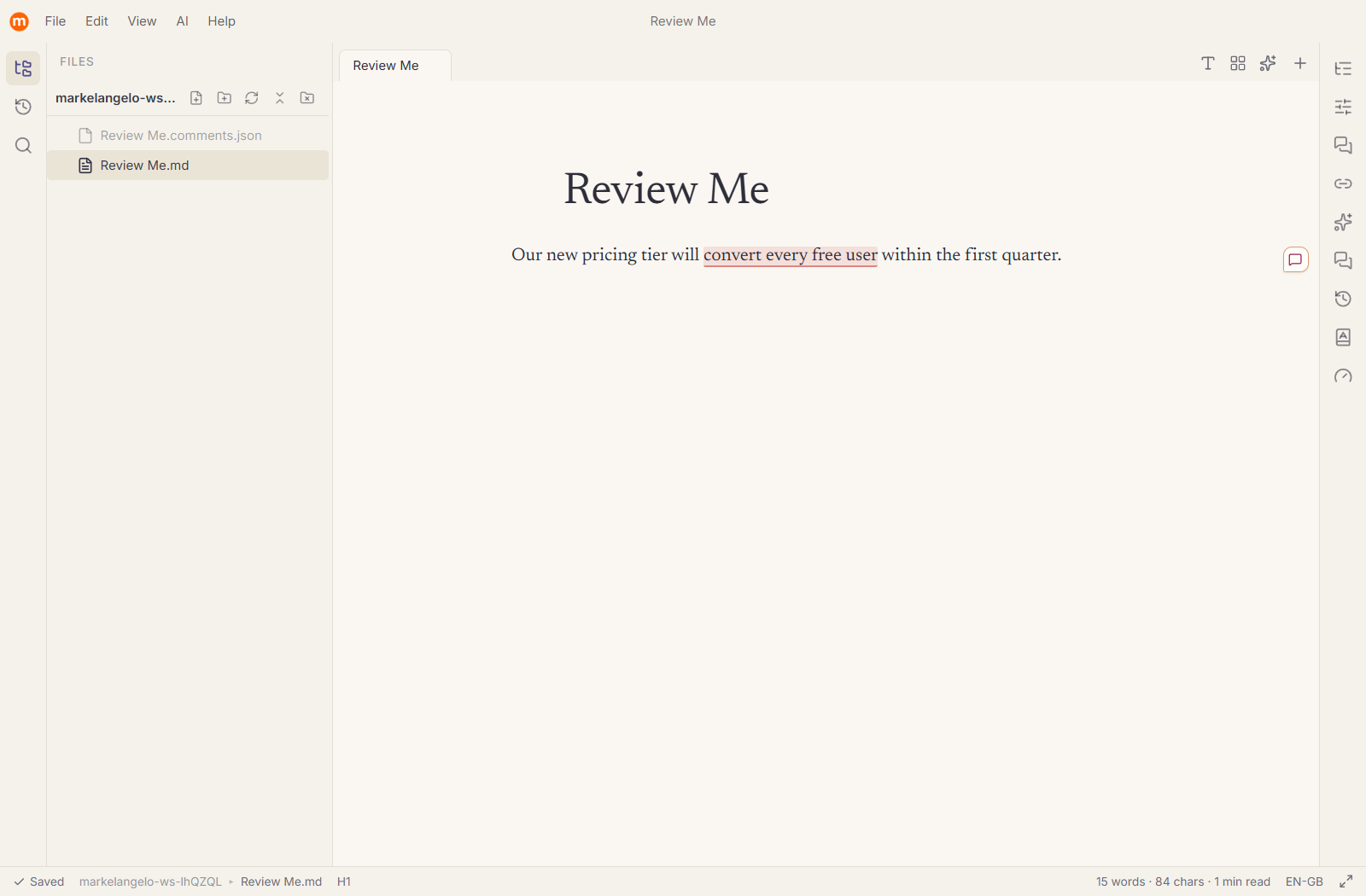
Run a devil's-advocate or evidence-check pass and the AI does not lecture you from a panel. It pins each remark to the exact sentence it is about, right in the margin, like comments beside a Word document. Open one and you are in a focused conversation about that single passage; thrash out the wording together, then commit the winner in a click: replace the line, keep it as a note, or promote the whole discussion into a linked note.
Tools you build once and keep
A prompt here is a reusable instruction with everything bundled in: variables filled at run time, a persona for the voice, its own model, a version history, and a nickname that puts it on the right-click menu. When a prompt, a persona and a model always belong together, bind them into a Document Leader and a whole way of writing becomes one click.
Everything runs on your own API key (Anthropic, OpenAI, OpenRouter) or a fully local model (Ollama, LM Studio), under a privacy stance you choose. See Privacy & Sovereignty.